

Report Templates
Report Templates
The Report Templates section allows users to create and manage custom templates used for Work Order and Task completion reports.
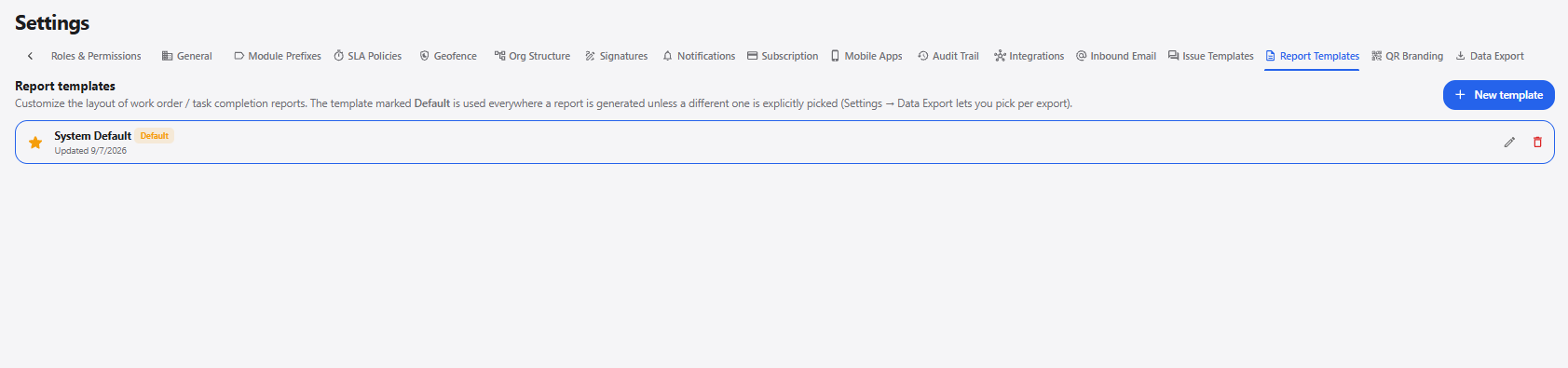
1. Report Templates
| Field / Option | Description |
|---|---|
| New template | Opens the New report template pop-up to create a new report template. |
| Template Name | Displays the name of the report template. |
| Default | Indicates the template used by default when generating reports unless another template is selected. |
| Edit | Allows the existing report template to be modified. |
| Delete | Deletes the selected report template. |
2. Create Report Template
Click + New template to open the New report template pop-up.
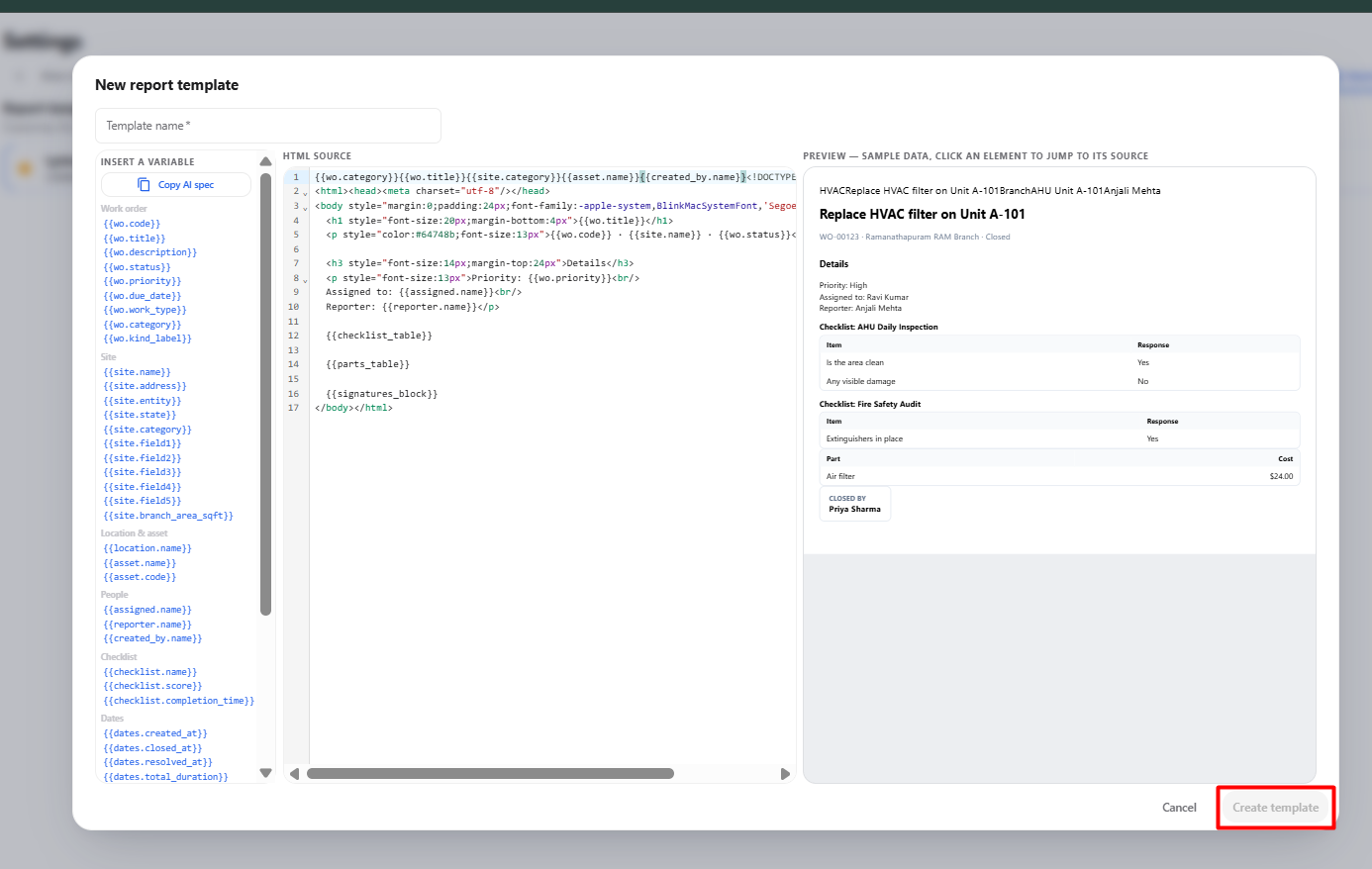
| Field / Option | Description |
|---|---|
| Template name* | Enter the name of the report template. |
| Insert a Variable | Provides predefined variables that can be inserted into the report template. |
| Copy AI spec | Copies the available AI specification for the report template. |
| HTML Source | Allows the report layout and content to be defined using HTML. |
| Preview | Displays a preview of the report using sample data. |
| Cancel | Closes the pop-up without creating the template. |
| Create template | Creates the report template after the required information is entered. |
3. Report Template Workflow
Open Settings
      ↓
Select Report Templates
      ↓
Click + New template
      ↓
New Report Template Pop-up
      ↓
Enter Template Name
      ↓
Add Required Variables / HTML
      ↓
Review Preview
      ↓
Click Create template
      ↓
Report Template Created
      ↓
Edit or Delete Template if Required